
Organisations are entering a new phase of digital transformation — one where intelligence is no longer layered onto systems, but increasingly embedded within them. As user expectations evolve and the pace of decision-making accelerates, enterprises must rethink not only the tools they adopt, but how those tools operate within everyday workflows.
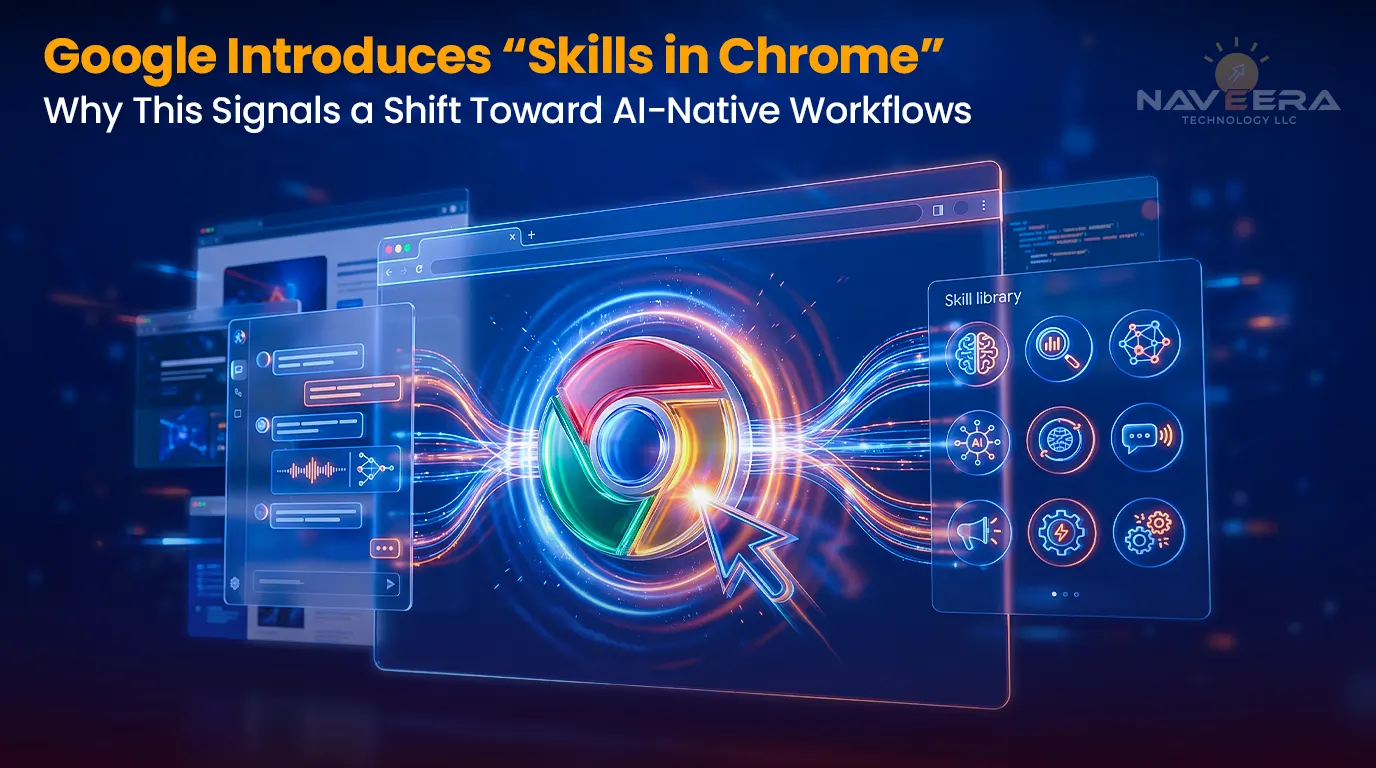
Against this backdrop, Google’s latest release — Skills in Chrome — marks a notable development. While at first glance it may appear as a productivity enhancement, its broader implication lies in how it reframes the role of artificial intelligence within the browser.
| The Real Story
This is not simply about improving how users interact with AI. It is about introducing a new layer where AI-driven workflows can be created, stored, and executed directly within the flow of work. The browser is becoming a runtime — and each company is betting its model should be the one running inside it. |
What “Skills in Chrome” Actually Does
Most coverage is treating this as a “reusable prompts” story. The real story is prompt entropy — and if you run any kind of AI program inside your organisation, you know exactly what that means.
| Prompt Entropy — The Problem Being Solved
Your best AI workflows are not in a system. They’re in someone’s Slack message from three months ago. They live in the notebook of the one analyst who figured out the right way to structure a competitive research prompt — and they disappear when that person moves teams or leaves. There is no layer in most organisations that treats a prompt as a first-class object with a name, a home, and a retrieval mechanism. Google just built that layer inside the browser your knowledge workers already have open all day. |
The Mechanics — Precisely
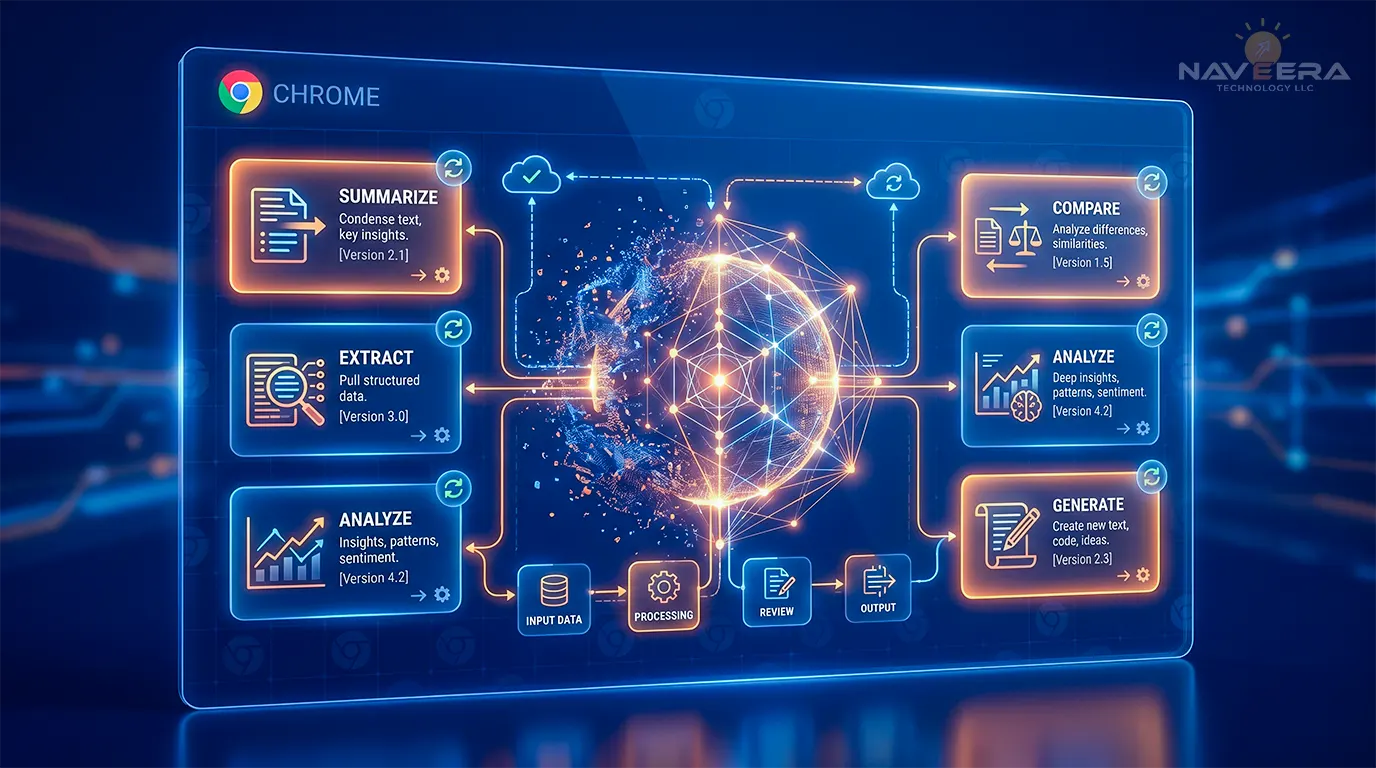
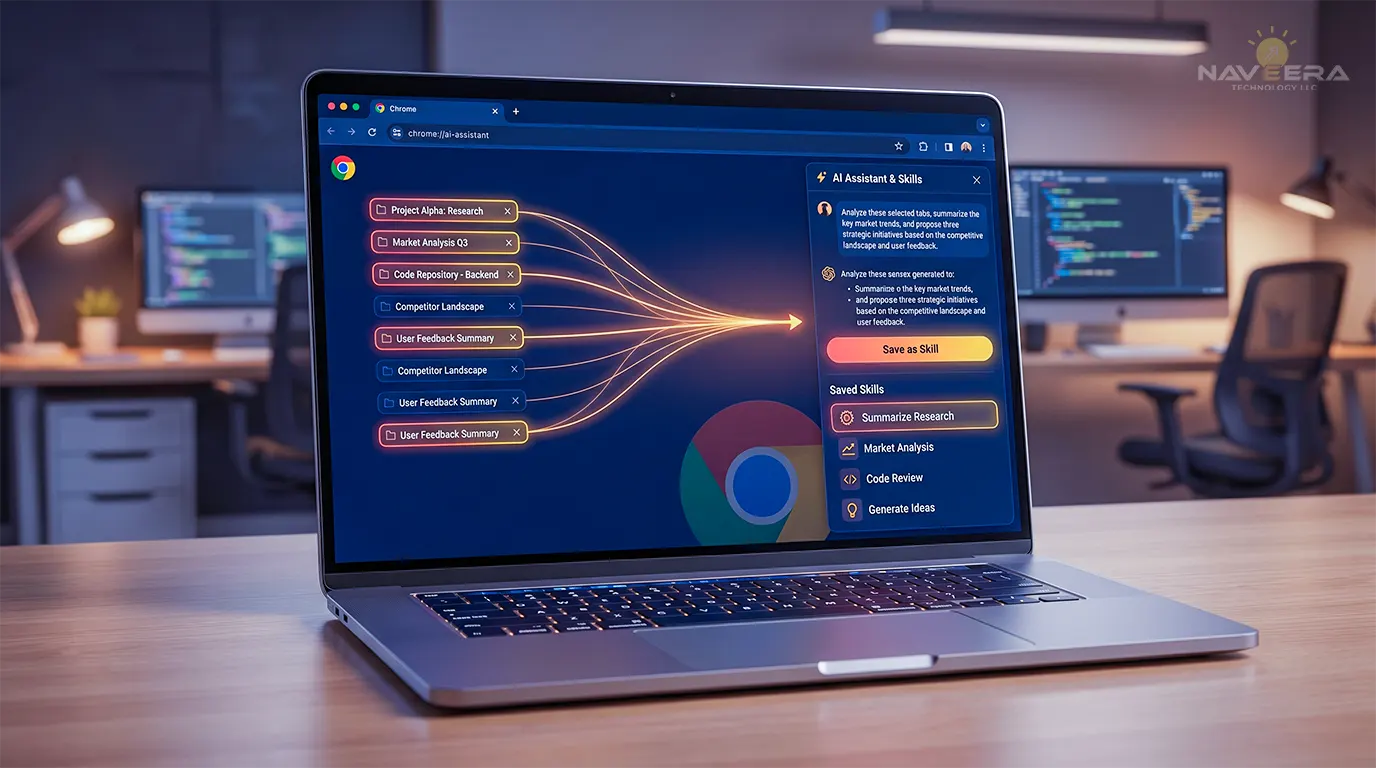
The mechanic is straightforward. You’re using Gemini in Chrome’s side panel — asking it to summarise something, compare prices across tabs, extract key terms from a document — and you realise you’re going to need to do this same task again tomorrow, and the day after that. Instead of retyping the prompt every time, you hit “Save as Skill,” give it a name, and you’re done.
From that point forward, you open the Gemini side panel, type a forward slash ( / ) or hit the plus sign ( + ), pick your Skill, select which tabs you want it to read from, and it runs.
Key details worth being precise about:
- The / command lives inside the Gemini side panel — not the address bar, not the omnibox. This distinction matters and has already been misreported elsewhere.
- Skills are multi-tab by design. You choose which open tabs the Skill reads from when you invoke it. One prompt, multiple pages, one output — genuinely useful for comparison work and vendor research.
- Your saved Skills sync across devices via your Google account. Build something on your work Mac, it’s there on your Windows laptop at home. The prompt library follows you, not the machine.
- Before a Skill does anything consequential — sending an email, writing a calendar event — it stops and asks you to confirm. The AI does not act autonomously. That’s the right default for now.
- Google is also shipping a prebuilt Skills library — ready-to-use workflow templates across productivity, shopping, recipe analysis, and budgeting. Use them as-is or edit them to fit your needs.
Rolling out today on Mac, Windows, and ChromeOS for signed-in Google account users with Chrome set to English (US).

The Browser AI Race — Context That Matters
Google didn’t ship this in a vacuum. The browser has become the main battleground for AI-native workflow delivery, and the competition is real.
- OpenAI is building Atlas
- Perplexity AI is building Comet
- The Browser Company is building Dia
None of them are building a better browser. They are building AI execution environments that happen to render web pages. The browser is becoming a runtime, and each company is betting that its model should be the one running inside it.
Google’s advantage is that it doesn’t need to win the browser war — it already won it. Chrome has the installed base. Gemini is already in the sidebar. Skills is an incremental capability on top of infrastructure that competitors have to build from scratch.
Skills also isn’t a standalone feature. It sits on top of a broader push Google has been running in Chrome: Auto Browse (agentic multi-step tasks), Personal Intelligence (cross-app context from Gmail, Calendar, Photos), and a persistent side panel that keeps Gemini available on every tab.
From Prompts to Persistent Workflow Assets
Historically, prompts have been treated as transient interactions. Users input instructions, receive outputs, and move on. Even in enterprise environments where AI adoption is more advanced, prompts are rarely managed as structured assets. This creates several challenges:
- High-value prompts are repeatedly recreated rather than reused
- Outcomes vary due to inconsistency in phrasing and structure
- Knowledge remains siloed within individuals or teams
- There is limited ability to scale successful use cases
By enabling prompts to be saved and reused, Google introduces a foundational shift: prompts begin to function as persistent workflow assets rather than one-time inputs. This moves AI usage closer to systemisation — where workflows can be defined, repeated, and refined over time.
The Enterprise Opportunity: Productivity and Standardisation
For organisations, the immediate benefits are evident. Reusable workflows can reduce repetitive effort across knowledge tasks, improve consistency in outputs, accelerate decision-making, and enhance productivity across teams. These gains are particularly relevant in:
- Market and competitive research
- Document analysis and summarisation
- Operational reporting
- Cross-functional data synthesis
However, productivity improvements represent only part of the value. The greater opportunity lies in standardisation — defining repeatable workflows so organisations can establish consistent approaches to common tasks.
The Hidden Challenge: Governance and Control
As workflows become reusable and persistent, they also introduce new governance considerations that enterprise leaders cannot ignore.
| Critical Question for Regulated Industries
Every Skill your people build inside Chrome is a prompt that lives in Google’s infrastructure. For teams in healthcare, financial services, or legal — the questions of where prompts are stored, what data they process when invoked, and who has visibility into that are not abstract. They need answers before this becomes standard practice inside your org. |
What enterprise governance actually requires:
- Role-based access control — who can create, edit, and invoke which Skills
- Centralised management — org-wide visibility and control over workflow assets
- Auditability and traceability — logs of when Skills were run, on what data, and by whom
- Version control — the ability to track changes, validate improvements, and maintain consistency over time
Enterprise/Workspace Availability — An Open Question
Today’s launch is for individual Google account users. Whether Skills will be available in Google Workspace business accounts — with admin controls, org-wide deployment, or audit logging — is not confirmed in today’s documentation. That gap matters enormously for any enterprise adoption decision.
Without those controls, Skills is a consumer feature running inside your organisation’s browsers — which carries a meaningfully different risk profile and warrants a policy position before your team adopts it at scale.
NaveeraTech’s Take
| Our Perspective — Clearly Marked as Such
The architecture Google chose is the right one. A named, persistent, editable, invokable unit of AI behaviour is how workflow automation should be structured — regardless of what platform runs it. The problem we keep seeing inside organisations isn’t a weak model. It’s that nobody owns the prompts. Skills addresses that at the consumer layer. The enterprise version of that solution — version-controlled, access-controlled, auditable, deployable across teams and not just individual accounts — is still an open space. We’re watching the Workspace integration closely. If Google extends Skills into Workspace with proper admin controls and audit logging, it becomes a tool worth serious enterprise evaluation. Without those controls, it is a consumer feature running inside your organisation’s browsers — a risk profile worth having a policy position on now. |
Strategic Considerations for CEOs and CTOs
For executive leaders, the implications of this shift are strategic. Organisations must move from:
- Ad hoc AI usage → Structured workflow design
- Individual productivity gains → Enterprise-wide standardisation
- Tool adoption → Operational integration
Leaders should begin by asking:
- How are AI workflows currently created and managed within the organisation?
- Where do opportunities exist for standardisation and reuse?
- What governance structures are required to ensure compliance and control?
- How can AI workflows be integrated into core business processes?
Quick Reference — What You Need to Know
| Core Feature | Save Gemini prompts as named, reusable “Skills” inside Chrome’s sidebar |
|---|---|
| How to Invoke | Type / or tap + in the Gemini side panel — not the address bar |
| Multi-Tab Support | Runs against current page or multiple selected tabs simultaneously |
| Device Sync | Saved Skills sync across all signed-in Chrome desktop devices |
| Guardrails | Confirmation required before any consequential action (email, calendar writes) |
| Prebuilt Library | Ships with ready-to-use workflow templates — editable to fit your needs |
| Availability | Mac, Windows, ChromeOS — English (US), Google account required |
| Enterprise Status | Workspace/admin availability NOT confirmed yet |
| Competitors | OpenAI (Atlas) vs Perplexity (Comet) vs The Browser Company (Dia) |
Preparing for the Next Phase of AI Adoption
Define a workflow strategy
Identify high-value use cases and standardise how they are executed before employees build ad hoc approaches inside consumer tools.
Establish governance frameworks
Ensure that AI workflows are managed in a controlled and compliant manner — with version control, access controls, and audit trails.
Invest in integration
Connect AI capabilities with enterprise systems to enable end-to-end processes rather than isolated productivity improvements.
Monitor platform evolution
Track how Skills develops — particularly the Workspace rollout and enterprise feature set — before committing to organisation-wide adoption.
Conclusion
Google’s introduction of Skills in Chrome represents more than a functional enhancement. It signals a broader shift toward embedding AI execution directly within the environments where work takes place — and it puts a competing answer to prompt management inside your employees’ browsers right now.
That doesn’t mean Google’s answer is the right one for your organisation. It means the conversation can’t wait.
For organisations, the opportunity lies in recognising this shift early and responding with a structured, strategic approach — focused on workflow architecture, governance, and integration — to move beyond experimentation and unlock sustainable value from AI.
About NaveeraTech
NaveeraTech partners with engineering and data leaders to design and implement scalable AI systems — spanning data engineering, artificial intelligence, and digital infrastructure. As organisations navigate the transition from fragmented AI usage to structured, enterprise-ready workflows, NaveeraTech provides the expertise required to build, govern, and scale intelligent systems effectively.
If you’re working through prompt governance, browser AI policy, or agentic workflow design — let’s talk.