
Every enterprise knows that artificial intelligence can do things. The big problem in 2026 is making artificial intelligence actually work for the business. The people in charge, the CEOs, want to see things happen faster, they want to make decisions, they want the company to be more productive, and they want to make more money. The technology leaders, the CTOs, have to make this happen by building systems that really work, are safe, and follow the rules. It does not cost too much. This is where a lot of intelligence projects have trouble: the artificial intelligence model might work great in a test, but the work that happens around it is often a mess with lots of different tools that do not talk to each other, people having to check things by hand, special scripts, jobs in the cloud, and monitoring that is all over the place. This is why orchestration is becoming a control plane for AI operations. Modern AI workflows require coordinated steps across data preparation, feature updates, embedding generation, retrieval refreshes, model evaluation, human review, deployment approvals, security checks, and cost controls.
For technical teams, Airflow for AI workflows is evolving beyond scheduled data jobs into a structured way to operate AI systems with reliability, traceability, governance, and production discipline.
The gap between AI goals and operational discipline is where workflow management becomes very important.
Airflow is no longer for scheduling data jobs.
It is becoming the control system that decides when AI workflows run, what they depend on, how failures are handled, and whether the system can be trusted when scaled up.
AI systems and Airflow are critical for AI production.
AI workflows need to be managed.
Airflow helps to achieve this.
For enterprise technology leaders, the question is no longer, “Can we build an AI pipeline?” The more important question is, “Can we operate AI workflows safely, repeatedly, observably, and economically?” That is where Apache Airflow AI workflows become strategically important. Airflow is already familiar to data engineering teams, but Airflow 3 expands its relevance for modern AI operations through event-driven scheduling, data assets, improved backfills, DAG versioning, the Task Execution API, and the Task SDK. Apache’s Airflow 3 announcement specifically highlights event-driven scheduling, asset updates from external systems, the Task Execution Interface, Task SDKs, stronger task isolation, and improved multi-cloud or hybrid execution patterns.
For companies building production AI systems, orchestration is becoming the operational control plane.
The Orchestration Shift — Why AI Workflows Need More Than Cron and DAG Timing
How AI workflows differ from traditional ETL and nightly batch pipelines
Traditional ETL pipelines were usually designed around predictable schedules. A job used to run every night. It would transform the data, load it into a warehouse, and then produce reports for business users in the morning.
We cared about failures. The operational model was pretty stable.
Here’s how it worked:
- Source data would arrive.
- The transformations would run.
- Then the downstream dashboards would refresh.
AI workflows are more dynamic. A retrieval-augmented generation system may need to refresh embeddings when new documents arrive. A customer-support LLM workflow may require evaluation before prompt changes go live. A fraud model may depend on fresh feature computation, drift checks, approval gates, and rollback logic. Inference workloads may be triggered by business events rather than a fixed time window.
That is why Airflow for machine learning pipelines and Airflow for LLM and AI pipelines require a different mindset. AI workflows are not just data-movement jobs. They are operational systems with model behavior, cost exposure, business risk, compliance implications, and user-facing consequences.
Why modern orchestration is moving from time-based runs to event- and asset-aware execution
The modern data stack is moving away from purely clock-based scheduling because business events do not wait for midnight. New data may show up in object storage. This can happen for a reason. For example, a message queue may get an event. Sometimes a vector index needs to be refreshed. The data quality is also important. If it is not good enough, it may trigger a remediation workflow. This is about the data in object storage.
Airflow 3 makes this change, with event-driven scheduling. This means DAGs are triggered by events, not just by scheduled runs. Apache’s documentation describes this as useful for modern data architectures that require workflows to react to real-time data changes, messages, or system signals.
This matters for AI because latency and freshness directly affect output quality. A RAG system with stale embeddings can produce outdated answers. A model evaluation job that waits too long can delay production releases. A retraining workflow triggered too broadly can waste compute. Event-driven orchestration with Airflow allows teams to respond when the relevant condition occurs, not when the next cron window opens.
The need to coordinate data prep, retrieval, refresh, inference, evaluation, and approvals
Production AI workflows are composite systems. A single AI use case may involve data extraction, schema validation, PII checks, feature generation, embedding creation, vector store updates, inference calls, evaluation jobs, hallucination testing, bias checks, security review, and human approval.
When these steps are handled by disconnected scripts, reliability deteriorates quickly. Failures become harder to trace. Retries may duplicate expensive inference calls. Approvals may happen outside the system of record. Logs may be spread across separate services, with no unified view.
Airflow provides a structured way to coordinate these steps as explicit dependencies. For enterprise AI teams, that structure is not just engineering convenience. It becomes the foundation for runtime visibility, auditability, exception handling, and operational accountability.
Why orchestration is becoming an operating layer for AI reliability, not just a scheduler
In 2026, orchestration is becoming a layer that makes AI more reliable. It decides what runs and when. Orchestration also explains why things run, what they depend on and what happens if they fail. Furthermore, it identifies who approves a process, the costs, and how to reverse changes if needed. The orchestration process is key here, making sure AI systems are dependable. It is about the details of orchestration.
That is a major shift from the older view of Airflow as “just a scheduler.” In production AI operations, orchestration controls the AI system’s behavior around the model. The model may generate the answer, but orchestration determines whether the right data was prepared, whether the retrieval layer was refreshed, whether the evaluation passed, whether cost limits were respected, and whether humans approved sensitive changes.
When companies like Naveera Technology work to improve their Artificial Intelligence operations, they usually think of the organization as part of the overall Artificial Intelligence system. This system includes things like data pipelines and Artificial Intelligence governance. Using the cloud to see what is going on and make sure everything is ready for production. All these things need to work for Naveera Technology and Artificial Intelligence to be successful.
What Airflow 3 Changes for AI Workflow Design
Event-driven scheduling — reacting to real-time signals instead of waiting for the next run window
Airflow 3 prioritizes event-driven orchestration. A workflow can react when a file is added, or a message is received, or changes are made to a dataset. It can also start when an external event says it’s time to begin processing. The official documentation notes that Airflow’s event-driven scheduling uses the Asset and AssetWatcher patterns to monitor external event sources, such as message queues, and trigger asset updates.
For AI workflows, this enables practical patterns such as refreshing embeddings when new documents are published, launching an evaluation pipeline when a model artifact is registered, or triggering customer-segment inference when new behavioral data is available.
The key is not to make every workflow real-time. The key is to make the right workflows responsive.
Asset-based scheduling — triggering workflows from data state, not just clocks
Asset-based scheduling allows teams to define workflows around the state of data assets rather than only time. This is especially useful when multiple DAGs depend on shared data products, feature tables, embedding stores, or curated document sets.
Apache Airflow’s asset-aware scheduling documentation explains that DAGs can be scheduled based on both asset events and time-based schedules using AssetOrTimeSchedule, allowing workflows to run when data updates and also on a fixed timetable when needed.
This is important for modern data orchestration in 2026 because AI systems often depend on data freshness and data readiness. Running a pipeline before the asset is ready creates failures. Running after every unrelated update creates waste. Asset-based scheduling improves precision.
Task Execution API and Task SDK — separating orchestration from where compute actually runs.
One of the most important Airflow 3 changes is architectural decoupling. The Task SDK provides Python-native interfaces for defining DAGs and executing tasks in isolated subprocesses, while the Task Execution API decouples task execution from the scheduler and creates a stable contract for running tasks outside Airflow’s traditional runtime environment.
For AI operations, this is significant. AI workloads run on various kinds of infrastructure. This can include Kubernetes clusters, GPU pools, serverless functions, cloud ML platforms, data warehouses, vector databases and external model APIs. The orchestrator helps manage the workflow. It does not do the computing itself.
This separation helps create an architecture.
- Airflow manages dependencies, sequencing, retries, backfills, lineage and visibility.
Airflow is good at governing these tasks.
- Specialized environments handle tasks like model training embedding generation, batch inference, evaluation or feature computation.
These environments are good, at handling compute tasks. The AI workloads benefit from this separation. Airflow and specialized execution environments work together to support AI workloads. The AI workloads run smoothly across the infrastructure.
Human-in-the-loop workflows — adding approvals and intervention points to production AI
Some artificial intelligence workflows do not need to be automated. In regulated, high-risk, or customer-facing environments, the artificial intelligence workflow requires human approval. Human approvals are still very important in these intelligence workflows. A prompt update may need review. A model promotion may require sign-off. A failed evaluation may require exception handling. A data-quality issue may need manual remediation.
Airflow can help encode these control points into the workflow rather than leaving them in Slack messages, spreadsheets, or informal approval chains. Human-in-the-loop workflows are especially valuable when AI systems affect compliance, customer communications, financial decisions, legal review, healthcare operations, security analysis, or enterprise knowledge retrieval.
The objective is not to slow down AI adoption. It is to make production AI safe enough to scale.
DAG versioning and workflow evolution — controlling change in long-lived AI systems
AI workflows evolve constantly. Prompts change. Models change. Feature logic changes. Evaluation criteria change. Retrieval pipelines change. If we do not use versioning, it is really hard to figure out which workflow definition made which output. We need versioning to keep track of our workflow definitions. The output they produce. Versioning helps us understand which workflow definition produced which output.
Airflow 3 has a feature called DAG versioning. This means that when a DAG run starts, it will use the version of the DAG that was available at that time. Even if someone uploads a version of the DAG while it’s running, the run will still use the old version. The UI associates DAG runs with the DAG version at runtime, including the task structure, code, logs, and related details.
For AI governance, that matters. If an output is challenged later, teams need to reconstruct the pipeline state, code version, task behavior, and runtime evidence. DAG versioning strengthens reproducibility and auditability.
Where Airflow Fits in the Modern AI Stack — And Where It Does Not
Orchestrating data preparation, validation, feature pipelines, and embedding generation
Airflow is great for organizing steps that prepare data for AI systems.
It helps with tasks like:
- Getting data from its source
- Checking if the data format is correct
- Making sure the data is up-to-date
- Finding missing information in the data
- Changing the data into a form
- Creating features from the data
- Getting data ready, for training AI models
- Preparing special data representations called embeddings.
Airflow supports all these steps to help with AI system development, ensuring data is properly prepared and validated.
These workflows are highly dependent on one another and often require robust retry behavior, strong observability, and backfill support. That makes Airflow a natural fit. For example, if a product documentation corpus changes, an Airflow DAG can validate the source, clean the content, chunk documents, generate embeddings, update the vector index, and log lineage metadata.
Managing RAG refresh cycles, evaluation jobs, fine-tuning support tasks, and retraining workflows
RAG systems are not static. Documents change, policies change, product content changes, and internal knowledge bases become outdated. Airflow can orchestrate retrieval refresh cycles to control and observe updates.
It can also coordinate evaluation jobs for LLM outputs. For example, a workflow might test prompts on a candidate model. It scores outputs based on how well they match reality and safety. The workflow also compares how fast it works and how much it costs. It needs approval before deployment.
Tuning support tasks, including preparing datasets and workflows for retraining, can also be handled through Airflow. This is when they need to be done in a controlled sequence.
Coordinating batch, event-driven, and human-reviewed steps in one control plane
The strength of Airflow is not that it replaces every execution tool. Its strength is that it can coordinate different workload types within a single workflow graph. A single AI workflow may include scheduled batch processing, event-triggered asset updates, API calls, Kubernetes jobs, validation tasks, manual approval gates, and downstream notifications.
This creates a practical control plane for production AI operations. Teams can see dependencies, monitor status, investigate failures, and understand what happened across the workflow lifecycle.
Where Airflow stops — streaming engines, vector stores, model serving layers, and agent runtimes
Airflow is not meant to do things it was not made for. It is not good at handling large amounts of data simultaneously, unlike Airflow, Kafka Streams, Flink, or Spark Structured Streaming. Airflow should just do what Airflow was made to do. It is not a vector database. It is not a low-latency model serving platform. It is not an agent runtime.
Airflow should orchestrate these systems, not replace them. A mature AI architecture uses Airflow to coordinate workflows across specialized components. Streaming engines process continuous events. Vector stores serve retrieval. Model-serving platforms handle low-latency inference. Agent frameworks manage reasoning and tool use. Airflow governs the operational flow around them.
Why orchestration architecture matters more than adding more tools
Many enterprises respond to AI complexity by adding more tools. That often increases fragmentation. The best way to start is to figure out the architecture.
- First we need to know what controls everything.
- Then we need to decide where things run and who is, in charge.
- We also need to know who keeps track of everything.
- Who will approve things. Who will check the costs?
- importantly what will keep track of the workflow status?em of record for workflow state?
If we do not have this architecture, Artificial Intelligence operations will be a mess of Artificial Intelligence scripts, dashboards, notebooks, and cloud jobs. With it, teams can scale AI workflows with clarity.
The Reference Architecture for Airflow-Led AI Operations
Source events, data assets, and trigger conditions
A strong Airflow-led architecture begins with clear trigger logic. Some workflows should remain scheduled. Some should be asset-triggered. Some should respond to external events. Some should require human review before downstream execution.
Examples include a new file arriving in object storage, a message landing in a queue, a source table partition being updated, a new model artifact being registered, or a compliance rule requiring review. Airflow 3.2.0 also introduced asset partitioning, allowing downstream processing to respond to specific partitions of data rather than triggering all downstream DAGs for any asset update.
For AI workflows, this is highly relevant because partition-aware orchestration can reduce unnecessary compute and avoid broad downstream refreshes when only a narrow slice of data has changed.
Transformation, validation, feature engineering, and embedding workflows
Once a workflow is triggered, Airflow can coordinate transformation and validation layers. This process involves steps.
- First we check the data quality to ensure it is accurate.
- We also enforce a schema to organize the data properly.
- Sensitive data is detected to protect information.
The next steps include feature engineering to create features, text normalization to standardize text, and document chunking to break large documents into smaller pieces. Additionally, we extract metadata and generate embeddings. These steps help to prepare the data for use.
These steps should be idempotent wherever possible. If a task retries, it should not corrupt downstream state or duplicate expensive work. For embedding workflows, teams should track which document version produced which embedding and which model version was used.
Model, retrieval, and evaluation pipelines orchestrated through DAGs.
Airflow DAGs can orchestrate model-related workflows without becoming the model-serving system itself. Common examples include batch inference, model evaluation, retraining support, RAG index refresh, prompt regression testing, and benchmark execution.
For LLM workflows, evaluation is especially important. A production pipeline should not blindly push prompt or retrieval changes without scoring output quality, checking groundedness, measuring latency, and estimating cost. Airflow provides teams with a place to consistently encode these steps.
Human approvals, exception handling, and rollback logic
AI workflows need explicit control points. If the evaluation fails, what happens? If inference costs exceed the budget, who is notified? If a retrieval refresh introduces low-quality documents, how is rollback handled? If a sensitive dataset appears in the pipeline, does execution stop?
These policies should not live only in documentation. They should be implemented in the orchestration layer. Airflow can support exception handling, alerting, manual review steps, rollback tasks, and controlled promotion logic.
Observability, lineage, and runtime visibility across the workflow graph
Production AI requires visibility beyond task success or failure. Teams need to know which data, model, prompt, retrieval index, and configuration produced a result. Airflow observability and lineage become essential.
OpenLineage integrates with Airflow to collect DAG lineage metadata, maintain inter-DAG dependencies, provide runtime visibility, and show lineage through a graph of historical DAG runs. (Apache Airflow) OpenLineage itself is an open framework and standard for collecting lineage metadata across jobs and datasets.
For AI systems, lineage is not merely metadata. It is a governance and debugging control.
Integration with Kubernetes, cloud services, and external execution environments
Big companies use Artificial Intelligence for many things. They run these Artificial Intelligence tasks across different systems, including Kubernetes and specialized cloud services. They also use servers that can be turned on and off as special computers, with powerful graphics cards. Sometimes they even use services from companies. Airflow should be the one thing that controls all of these Artificial Intelligence tasks across all of these systems.
The Task SDK and Task Execution API direction in Airflow 3 better separates workflow authoring from execution infrastructure. Apache’s documentation describes support for remote execution and improved isolation, portability, and extensibility for Airflow-based workflows.
For enterprises, this helps reduce coupling between orchestration logic and compute infrastructure.
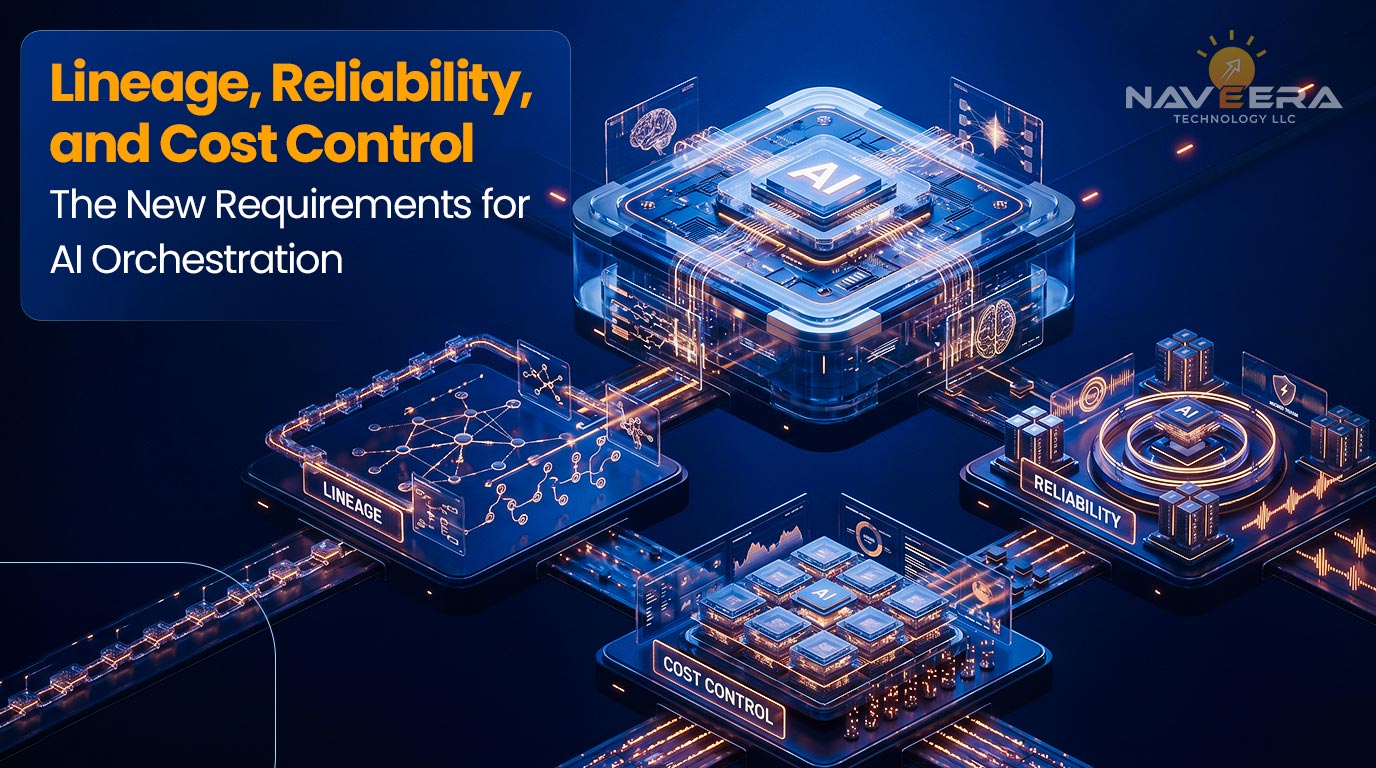
Lineage, Reliability, and Cost Control — The New Requirements for AI Orchestration
Why retries, idempotency, and failure isolation matter more in AI than in standard ETL
Retries in AI workflows can be expensive and risky. A failed ETL task might cause a transformation to rerun. A failed AI workflow might regenerate embeddings, rerun inference across thousands of records, call external LLM APIs, or launch GPU-backed evaluation jobs.
That means retries must be controlled. Tasks should be idempotent. Failure isolation should prevent one bad asset or input partition from causing unnecessary downstream execution. Backfills should be deliberate, not accidental. Airflow 3 improved backfills by running them within the scheduler, allowing them to be started from the UI or API and monitored there.
Lineage as a governance and debugging control, not just metadata
When an AI answer is wrong, the problem might not be with the model itself. It could be because the information used to answer is old. Or maybe a step to prepare the data didn’t work properly. Sometimes we might be missing some information. At times, the way we ask the AI to answer might have changed. It could also be that we only updated some of the data, not all of it. There might be a problem with the data we get from elsewhere.
Lineage helps teams trace that chain. It turns “the model failed” into a more precise investigation: which data asset changed, which DAG ran, which task failed, which version was active, and which downstream workflow consumed the result.
For regulated or enterprise environments, this also supports audit readiness.
Budget guardrails for high-cost AI tasks such as inference, evaluation, and repeated retries
AI workflows can create variable and unpredictable costs. Embedding generation, LLM inference, evaluation suites, retraining, and repeated retries can all produce cost spikes.
Airflow helps make sure we do not overspend. Teams can set rules, such as limits on how many tasks can run at once, use special groups for tasks, and set rules for retries and alerts. This way, we get notified before expensive tasks run. We should label high-cost tasks, keep an eye on them and handle them differently from tasks. This is where orchestration connects directly to AI FinOps.
Multi-tenancy, execution isolation, and security boundaries in enterprise Airflow estates
Large organizations rarely have one AI team. They have data science, platform, analytics, product, compliance, and business-unit AI teams. Shared Airflow environments must support boundaries.
Airflow 3.2 added a feature. This feature is called multi-team support. It helps to have teams. Each team works independently within a single Airflow deployment. Each team has its DAGs. They also have their connections and variables. Pools and executors are also team-specific.
For enterprises, this is directionally important. When we are dealing with Artificial Intelligence workflows that involve data, we need multi-tenancy, execution isolation, and permission boundaries. These things are necessary for Artificial Intelligence workflows that involve use cases and cross-functional access. We cannot do without tenancy, execution isolation and permission boundaries in Artificial Intelligence workflows.
Why orchestration choices now affect reliability, observability, and AI operating cost
The person in charge of the system decides when the work starts, tries again, is approved, and is cancelled. If this is not done well, it creates costs that we do not see, such as systems that often fail and poor control. When the system runs well, we can see what is happening: it prevents duplicate work and makes artificial intelligence systems easier to use.
This is why Airflow 3 for data orchestration should be evaluated not only by data engineering teams, but also by AI platform leaders, cloud architects, security teams, and governance owners.
The 2026 Pattern — Hybrid, Event-Aware, and Human-Governed Orchestration
Why the future is not batch-only or stream-only orchestration
Enterprise AI does not fit one execution pattern. Some workflows should run nightly. Some should react to events. Some should process partitions. Some should wait for approvals. Some should run immediately after data validation. Others should be delayed until downstream systems are ready.
The 2026 orchestration pattern is really a mix of things. It is scheduled when we can predict what will happen. When we need to respond quickly, we use an event-driven approach. The 2026 orchestration pattern is also asset-aware when the data’s state is important. When there is a risk, the 2026 orchestration pattern is controlled by humans.
Using Airflow across scheduled, asset-triggered, and event-driven workloads
Airflow’s advantage is that teams can combine these patterns. A model monitoring workflow may run daily. A RAG refresh may trigger when approved content changes. A batch inference workflow may launch when a partitioned dataset becomes available. A high-risk deployment may require human approval.
This makes it possible to actually use Airflow for event-driven orchestration and asset-based scheduling in companies, not just something you see in fancy architecture diagrams. Airflow is a tool that can really be used in enterprise environments.
When to keep workflows simple and when to add approvals or controls
Not every workflow needs heavy governance. Overengineering slows adoption. The right approach is risk-based.
Low-risk internal analytics jobs may need simple scheduling, validation, and alerting. Customer-facing AI workflows may need evaluation gates, rollback logic, lineage, and approval. Regulated workflows may require stronger access controls, audit logs, and human review. High-cost inference jobs may need budget controls before execution.
Governance should be proportional to risk.
Designing orchestration around business events, data state, and risk boundaries
The best AI orchestration designs start with business logic, not tooling. What event matters? What data state is required? What risk boundary exists? What must be approved? What must be traceable? What cost threshold should stop execution?
Once those questions are clear, Airflow can encode the workflow as a controlled operating model. This is where Naveera Technology’s approach to AI infrastructure and data engineering is practical: design the workflow around business reliability first, then implement the orchestration pattern.
How enterprise teams should think about orchestration maturity in 2026
Orchestration maturity is not measured by the number of DAGs. It is measured by how well workflows support production operations. A mature AI management setup has ownership. It follows patterns and uses reusable templates.
- It has monitoring and tracking.
- It keeps costs under control.
- It has security boundaries.
This setup also handles changes in a way.
It avoids adding complexity.
The AI management setup has lineage. The goal is not to make every workflow sophisticated. The goal is to make every critical workflow reliable.
Getting Started — From ETL Scheduler to AI Orchestration Layer
Step 1 — Inventory AI and data workflows that require orchestration
Start by mapping current AI and data workflows. Include notebooks, scripts, scheduled jobs, cloud functions, vector refresh jobs, model evaluation tasks, embedding generation pipelines, retraining workflows, and manual approval processes.
The inventory should identify the business owner, the technical owner, data sources, execution frequency, trigger logic, cost profile, risk level, downstream dependencies, and current failure points.
Step 2 — Identify which pipelines should remain scheduled and which should become event-aware
Not every workflow should become event-driven. Some should remain time-based because the business process is predictable. People should know about their assets. Pay attention to events because how fresh their data is, how long they have to wait to get things done, and how much money they can save depend on them.
We can classify things as scheduled, triggered by assets or events, gated by approvals, or a mix of these.
Step 3 — Add lineage, observability, and runtime controls before scaling complexity
Before scaling AI orchestration, establish runtime visibility. Teams need logs, metrics, lineage, alerts, ownership, retry policies, and cost signals. Adding more DAGs without observability creates operational debt.
This is where Airflow observability and lineage should be treated as foundational, not optional.
Step 4 — Pilot one high-value AI workflow with Airflow 3 capabilities
Choose one workflow with business value and operational pain. Good candidates include RAG refresh, embedding generation, evaluation pipelines, batch inference, feature engineering, or model retraining support.
The pilot should test practical Airflow 3 capabilities such as asset-aware scheduling, event-driven triggers, DAG versioning, improved backfills, and remote task execution patterns where appropriate.
Step 5 — Expand into a governed orchestration model for production AI
Once the pilot is stable, standardize patterns. We need to make templates for our workflows that we can use again and again. This includes coming up with names that make sense, rules for what to do when something goes wrong, and standards for how things are connected. We also need to figure out how to obtain approvals and ensure we are not spending too much money. The goal of workflows is to move from getting one thing to work to having a system that is organized and controlled. This is what we mean by workflows. We want to have a system for our workflows.
This is where Airflow for AI workflows becomes a platform capability rather than a project-level implementation.
What a 90-day AI orchestration modernization engagement looks like:
A 90-day plan to modernize usually begins with understanding the workflow and making an inventory. Then it moves on to designing the architecture, checking if Airflow 3 is ready, testing with a project, setting up monitoring, and planning for full deployment.
Over the 30 days, the team reviews the current workflows, scripts, and cloud jobs. They also examine how AI workflows fail, what drives costs, and where governance is lacking.
In the 30 days, they create a plan for how workflows should be managed. This includes scheduling, monitoring assets’ reactions to events, and having humans review.
In the 30 days, they implement a few important workflows. They also set standards that can be reused, start monitoring, and make a plan for use.
Naveera Technology can support this type of modernization by combining data engineering, AI infrastructure, cloud architecture, and production AI governance. The value is not simply upgrading Airflow. The value is creating a layer that helps make Artificial Intelligence systems more reliable, easier to watch, safer and cheaper to maintain over time. The value is building this layer to make Artificial Intelligence systems work better. This makes Artificial Intelligence systems more secure and more cost-effective.
For companies moving from trying out Artificial Intelligence to actually using it, Airflow is not just about scheduling anymore. It now does a lot more for Artificial Intelligence operations. It is becoming a control plane for how AI workflows run, fail, recover, scale, and earn trust.
FAQ
Q1: Can Apache Airflow orchestrate AI and LLM workflows in production?
Yes. Airflow helps manage data tasks.
It can handle data preparation.
Airflow also generates embeddings.
It refreshes RAG runs and evaluation jobs, and performs batch inference.
Airflow supports retraining and manages approvals.
It also monitors workflows.
Q2: What is new in Airflow 3 for modern AI orchestration?
Airflow 3 supports event-driven scheduling.
It also supports data assets and DAG versioning.
The new version has scheduler-managed backfills.
There is a Task SDK and a Task Execution API.
These are some of the features in Airflow 3.
Airflow 3 makes event-driven scheduling stronger.
It also helps with data assets and DAG versioning.
Q3: When should enterprises use event-driven scheduling instead of time-based DAGs?
Use event-driven scheduling for workflows that need to react to data arrival. It is also useful for workflows that need to respond to asset updates, messages, model events or operational signals. This approach is better than waiting for a fixed schedule.
Q4: How does lineage improve governance and observability in Airflow?
Lineage helps teams see which data, DAG, task, model or workflow version was used to create an output. This makes it easier to debug, audit and govern outputs. It shows what went into making an output. So teams can. Fix issues better. Lineage strengthens debugging, auditability, and governance.
Q5: Where does Airflow fit compared with streaming engines, model serving tools, and agent frameworks?
Airflow coordinates workflows across those systems. It should orchestrate streaming engines, vector stores, model serving layers, and agent runtimes, not replace them.