
Every team building a retrieval-augmented generation (RAG) system eventually hits the same wall: where do the embeddings actually live? The model matters, the prompt matters, but if your vector store can’t return the right neighbors fast enough or costs three times your infrastructure budget by the time you scale, none of that matters. This is the decision that quietly determines whether your RAG system feels instant or sluggish, and whether your cloud bill stays predictable or spirals.
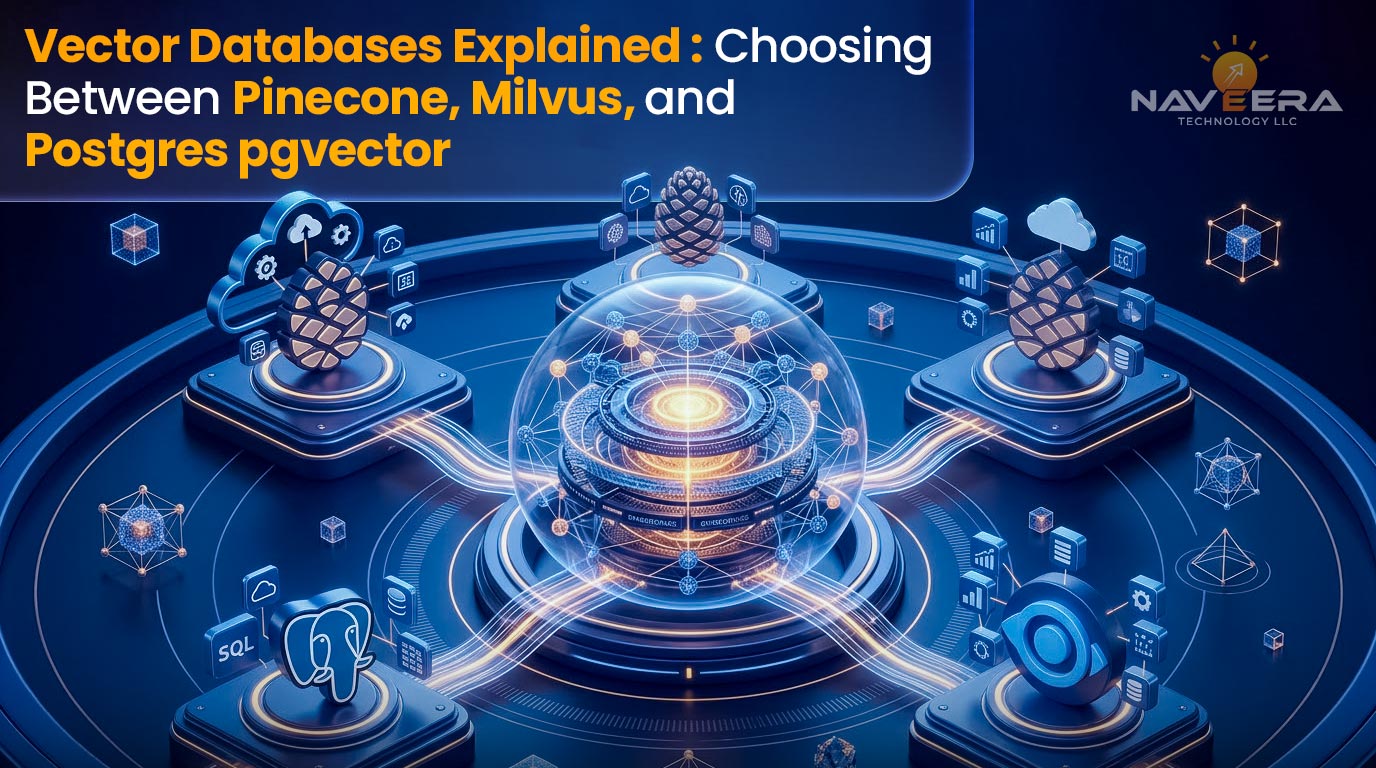
This guide breaks down the four most common choices Pinecone, Milvus, Weaviate, and Postgres with the pgvector extension, so you can pick the right one for your team’s stage, budget, and scale, instead of defaulting to whichever tool showed up first in a tutorial.
What Is a Vector Database?
A vector database stores data as high-dimensional numerical arrays, embeddings — rather than rows and columns. Each embedding is a compressed mathematical fingerprint of a piece of content: a paragraph, an image, a product description, a user’s browsing pattern. Instead of asking “does this row match this value exactly,” a vector database asks “which stored vectors are mathematically closest to this query vector,” using distance metrics like cosine similarity, dot product, or Euclidean distance.
Why Traditional Databases Can’t Handle Embeddings Efficiently
Relational databases are built around exact-match and range queries: WHERE user_id = 123 or WHERE price BETWEEN 10 AND 50. Indexes like B-trees are extraordinarily good at this because they exploit an inherent order in the data.
Embeddings have no natural order. A 1,536-dimension vector doesn’t sort the way an integer does, and there’s no meaningful way to build a B-tree index across it. Finding the “nearest” vectors to a query means comparing that query against some or all stored vectors using distance math — an operation that scales terribly with brute force. Do this across 10 million rows and a naive SQL query will time out long before it returns a useful answer.
Vector databases solve this with approximate nearest neighbor (ANN) algorithms — HNSW (Hierarchical Navigable Small World graphs), IVF (Inverted File Index), or product quantization — that trade a small amount of accuracy for dramatic speed gains. Instead of comparing a query against every vector, these algorithms narrow the search space intelligently, delivering results in milliseconds instead of seconds.
Use Cases: RAG, Semantic Search, Recommendation Engines
Three patterns account for most production vector database deployments:
- Retrieval-augmented generation (RAG): An LLM’s context window is finite and its training data is frozen at a point in time. Vector search lets you retrieve the most relevant chunks of your own documents, support tickets, or knowledge base at query time and feed them into the prompt — grounding the model’s answer in current, proprietary information.
- Semantic search: Unlike keyword search, semantic search understands intent. A user searching “comfortable running shoes for flat feet” should match a product titled “Stability Trainer with Arch Support” even though no words overlap.
- Recommendation engines: User behavior, purchase history, and content interactions can be embedded and compared to surface “more like this” recommendations, without hand-built rule systems.
Latency Requirements
For any user-facing application, query latency is not a nice-to-have it’s the difference between a product that feels responsive and one that feels broken. As a rule of thumb, teams building RAG-backed chat or search experiences target sub-100ms retrieval latency, leaving the rest of the response budget for the LLM generation step itself, which is already the slower part of the pipeline. Batch or offline use cases (nightly recommendation refreshes, analytics) can tolerate much looser latency, which opens the door to cheaper, less specialized infrastructure.
Comparison Matrix
| Feature | Pinecone | Milvus | Weaviate | Postgres pgvector |
| Managed? | Yes | No (self-hosted; Zilliz Cloud offers managed option) | Yes (Weaviate Cloud) or self-hosted | No — extension on your existing Postgres |
| Query latency | <50ms | <100ms | ~80ms | ~200ms (improves with proper indexing and tuning) |
| Cost model | Per-pod, usage-based (high at scale) | Open-source; infrastructure + ops cost only | Per-pod managed, or free self-hosted | Self-hosted — cost of your existing Postgres instance |
| Scalability | Horizontal, but capped by pod architecture | True horizontal scaling, built for billions of vectors | Horizontal, strong at mid-to-large scale | Vertical — limited by a single Postgres instance’s resources |
| Metadata filtering | Good — supports pre- and post-filtering | Excellent — scalar + vector filtering built for complex queries | Good — native hybrid filtering | Excellent — full SQL WHERE clauses alongside vector similarity |
| Best for | Rapid prototyping, small-to-mid teams wanting zero ops | Enterprise scale, cost-sensitive teams needing full infrastructure control | Hybrid search (vector + keyword), teams preferring GraphQL | Teams already running Postgres, low-to-mid volume, budget-constrained |
A few things worth reading between the lines here. Pinecone’s latency edge comes at the cost of flexibility — you’re renting infrastructure you don’t control, and pod-based pricing means costs climb in step functions rather than gradually. Milvus’s “true horizontal scaling” claim is real, but it comes with real operational overhead: you’re now responsible for a distributed system, not just an API key. pgvector’s biggest advantage often isn’t in the matrix at all — it’s that you don’t need a new system to operate, monitor, back up, and secure. If your data already lives in Postgres, keeping the vectors there removes an entire category of synchronization risk.

When to Choose Each
Pinecone: Fast Time-to-Market, Small Teams, Under 100M Embeddings
Pinecone exists to remove infrastructure decisions from your critical path. There’s no cluster to size, no index to tune from scratch, and no on-call rotation for a database you built five weeks ago. For a team validating a RAG product, running a hackathon build, or shipping an MVP under investor pressure, that speed is worth paying for.
The tradeoff shows up later. Pinecone’s pod-based pricing means your cost curve isn’t linear with usage you pay for provisioned capacity, and outgrowing a pod tier means a real cost jump, not a gradual increase. Teams that start on Pinecone and scale past roughly 100 million embeddings often find the economics stop making sense, particularly if query volume is high and margins are thin.
Choose Pinecone if: you need to ship in weeks, your team doesn’t want to own database infrastructure, and your embedding volume is expected to stay under roughly 100M vectors for the foreseeable future.
Milvus: Large-Scale Deployments, Cost-Sensitive, Full Control Needed
Milvus was built by Zilliz specifically for large-scale vector workloads, and it shows in the architecture it separates storage and compute, supports multiple index types (HNSW, IVF, DiskANN), and scales horizontally in a way that’s genuinely designed for billions of vectors rather than millions.
The cost is operational complexity. Running Milvus well means understanding its distributed components (proxy, query nodes, data nodes, index nodes, and the coordination layer), and that’s a real engineering investment. For teams with DevOps maturity or budget for a managed option like Zilliz Cloud that investment pays off in both raw scale and lower marginal cost per vector.
Choose Milvus if: you’re operating at enterprise scale, cost-per-query at high volume matters more than convenience, and you have (or are willing to build) the operational capacity to run a distributed system.
Weaviate: Hybrid Search, GraphQL API Preference
Weaviate’s strongest differentiator is native hybrid search combining vector similarity with traditional keyword (BM25) scoring in a single query, which matters enormously for use cases where exact terms (product SKUs, legal citations, proper nouns) need to be respected alongside semantic meaning. Its GraphQL-first API also appeals to teams already comfortable with that query paradigm, and its modular architecture makes it straightforward to plug in different embedding models.
Choose Weaviate if: your search experience genuinely needs both keyword precision and semantic recall, and your team has no strong aversion to (or already prefers) GraphQL.
pgvector: Existing Postgres Infrastructure, Low Volume, Budget Constraints
If your application data already lives in Postgres, pgvector lets you add a vector column and an HNSW or IVFFlat index without introducing a new system into your stack. That’s not a small thing every additional database is another thing to back up, monitor, secure, and keep in sync with your source of truth. pgvector queries can also join vector similarity directly against relational data in a single SQL statement, which is awkward or impossible in purpose-built vector databases.
The honest limitation is scale: pgvector is bound by the resources of a single Postgres instance. Past a few million vectors, or under heavy concurrent query load, latency and index-build time both start to suffer unless you invest in read replicas, careful index tuning, and Postgres-specific scaling patterns.
Choose pgvector if: you’re already running Postgres, your embedding volume is modest (roughly under 5–10M vectors for consistently fast performance), and minimizing new infrastructure matters more than shaving off the last 100ms of latency.
Real-World Scenario: Migrating for Cost at Scale
A fintech company building a fraud-pattern search tool started on Pinecone to hit an aggressive MVP deadline, the right call for a three-person team with no time to stand up infrastructure. Query volume and embedding count grew quickly as the product moved from pilot to full production, and the pod-based cost model that felt reasonable at 5 million embeddings became a significant line item at 80 million.
The team migrated to a self-hosted Milvus cluster once they had the engineering bandwidth to own the operational overhead. The result was roughly a 60% reduction in infrastructure cost at the same query volume the tradeoff being a dedicated engineer’s time spent on cluster management, index tuning, and monitoring that Pinecone had previously absorbed. The lesson isn’t “Pinecone is bad” or “Milvus is always cheaper” — it’s that the right choice changes as your scale and team maturity change, and the cost of migration is worth budgeting for from day one rather than treating the first choice as permanent.
Implementation Example
Ingesting Embeddings at Scale (Batch + Real-Time)
Most production systems need both an initial bulk load and an ongoing stream of updates. Bulk ingestion should always be batched sending vectors one at a time multiplies API overhead and slows the load dramatically. Real-time ingestion (a new support ticket, a new product listing) can go through the same batch endpoint with a batch size of one, or a dedicated streaming path if your volume justifies it.
Metadata Field Design for Filtering
Metadata is what turns a vector database from “semantically similar” into “semantically similar and actually usable.” Before ingesting anything, decide which fields you’ll filter on at query time tenant ID, document type, date range, access permissions — and keep that list intentionally small. Over-indexing metadata fields slows writes and can bloat index size without a corresponding query benefit. A common pattern: one or two high-cardinality filter fields (like tenant_id) that narrow the search space early, plus a handful of low-cardinality fields (document_type, language) for coarse filtering.
Query Optimization: Vector + Scalar Filters
The order of operations matters. Pre-filtering (narrowing by metadata before the vector search runs) is usually faster when the filter is highly selective — searching within one tenant’s 50,000 documents instead of the full 50 million. Post-filtering (running the vector search first, then discarding results that don’t match metadata) can be faster when the filter is broad, since building a narrow candidate set up front might exclude relevant matches. Most modern vector databases, including Pinecone and Milvus, let you specify which strategy to use — test both against your actual data distribution rather than assuming.
Code: Batch Upsert to Pinecone and pgvector
import time
from typing import List, Dict
# — Pinecone batch upsert —
from pinecone import Pinecone
pc = Pinecone(api_key=”YOUR_API_KEY”)
index = pc.Index(“product-embeddings”)
def batch_upsert_pinecone(vectors: List[Dict], batch_size: int = 100):
“””
vectors: list of dicts like
{“id”: “prod_123”, “values”: [0.01, 0.02, …], “metadata”: {“category”: “shoes”}}
“””
for i in range(0, len(vectors), batch_size):
batch = vectors[i:i + batch_size]
index.upsert(vectors=batch)
time.sleep(0.05) # light throttling to avoid rate limits
# — pgvector batch upsert —
import psycopg2
from psycopg2.extras import execute_values
conn = psycopg2.connect(“dbname=products user=app_user host=localhost”)
cur = conn.cursor()
def batch_upsert_pgvector(rows: List[tuple], batch_size: int = 500):
“””
rows: list of tuples like (product_id, embedding_list, category)
Table: CREATE TABLE products (
id TEXT PRIMARY KEY,
embedding VECTOR(1536),
category TEXT
);
“””
query = “””
INSERT INTO products (id, embedding, category)
VALUES %s
ON CONFLICT (id) DO UPDATE
SET embedding = EXCLUDED.embedding,
category = EXCLUDED.category;
“””
for i in range(0, len(rows), batch_size):
batch = rows[i:i + batch_size]
execute_values(cur, query, batch)
conn.commit()
Two things worth noting in this pair of snippets: Pinecone’s client abstracts away the storage layer entirely — you send vectors and metadata, and never touch a schema. pgvector, by contrast, requires you to define your table structure up front, but in exchange you get standard SQL semantics like ON CONFLICT upserts and the ability to join against every other table in your database in the same query.
Cost Analysis
Sticker price rarely tells the whole story. The real cost of a vector database includes API call volume, storage growth over time, egress bandwidth if you’re moving data across regions or providers, and — often the largest hidden cost — the engineering hours required to operate it.
Example: 10M Embeddings for E-Commerce Search
Assume 1536-dimension embeddings, moderate query volume (roughly 500K queries/month), and metadata attached to each vector.
| Solution | Estimated Monthly Cost | What Drives the Cost |
| Pinecone | $2,500–3,500 | Pod-based pricing tier required to hold 10M vectors with headroom, plus per-query charges at this volume |
| Milvus (self-hosted) | ~$800 + ops overhead | Cloud compute/storage for the cluster; the real cost is the engineering time to deploy, monitor, and maintain it |
| pgvector | ~$300 + minimal ops | Cost of a right-sized Postgres instance (often one you’re already running); minimal incremental ops since it’s an extension, not a new system |
The pattern that shows up consistently: managed convenience (Pinecone) costs the most in direct dollars but the least in engineering time. Self-hosted power (Milvus) inverts that — lower direct cost, higher time cost, and that time cost scales with your team’s unfamiliarity with distributed systems. pgvector sits at the budget-conscious end, but that low number assumes you’re not pushing it past the volume and concurrency it’s realistically built for — past that point, the “minimal ops” line item stops being minimal.
The honest advice: model your cost at your projected 12-month volume, not your current one. A comparison that favors Pinecone at 2M vectors can flip entirely by the time you hit 50M.
Which One Is Right for You?
There’s no universally “best” vector database, only the one that fits your current scale, your team’s operational capacity, and your existing infrastructure. Teams get this decision wrong most often by optimizing for where they are today rather than where they’ll be in a year, or by choosing based on which tool has the best documentation rather than which one matches their cost and control requirements.
If you’re still weighing these tradeoffs against your specific data volume, query patterns, and budget, Naveera offers a free vector database consultation
https://calendly.com/naveenkumar-m-naveeratech/discovery_call?month=2026-08
we’ll look at your embedding volume, latency requirements, and existing stack, and tell you plainly which of these four (or another option entirely) fits, along with a realistic cost projection at your 12-month scale. No sales pitch attached to the assessment itself — just the analysis.