A cloud migration assessment helps an enterprise determine which workloads should move to the cloud, which should remain in place and what must change before migration begins. It evaluates applications, infrastructure, data, dependencies, security, costs and organizational capabilities so decision-makers can build a migration roadmap based on evidence rather than assumptions.
Without a structured assessment, hidden dependencies or compliance requirements may surface after migration work has started. These discoveries can delay cutovers, increase costs and create avoidable operational risk. A rigorous assessment turns cloud adoption into a controlled business program instead of a series of disconnected technical activities.
What Is a Cloud Migration Assessment?
A cloud migration assessment is a structured evaluation of an organization’s technology environment and its readiness for cloud adoption. It identifies the applications and data in scope, measures technical and operational readiness, estimates migration complexity and recommends an appropriate path for each workload.
Unlike basic cloud discovery, an assessment connects infrastructure information with business priorities. It should answer:
- Which workloads should move?
- Why should they move?
- What prevents them from moving safely?
- Which migration strategy fits each workload?
- In what order should workloads migrate?
- What will the target environment cost to operate?
A useful cloud migration readiness assessment also evaluates whether the organization has the people, governance and operational processes required to support workloads after migration.
What Should the Assessment Produce?
The final output should be an actionable decision package—not simply an inventory or automated report. It should include:
- A validated application and workload inventory
- Application and data dependency maps
- Business criticality and readiness classifications
- Security, compliance and continuity requirements
- Current performance and utilization baselines
- Recommended migration strategy for each workload
- Directional migration and operating costs
- A prioritized risk register
- Remediation actions with accountable owners
- Migration waves, success criteria and rollback requirements
These deliverables form the foundation of the organization’s broader cloud migration strategy.
What Should a Cloud Migration Assessment Cover?
An effective assessment evaluates business, technical, security and operational conditions together. Focusing only on servers and infrastructure can overlook the organizational constraints that determine whether a migration succeeds.
Business and Workload Readiness
Business readiness begins with the reason each workload is being considered for migration. Common objectives include improving scalability, increasing resilience, supporting geographic expansion, reducing infrastructure constraints or accelerating application delivery.
Teams should document the business owner, users, criticality, service expectations and measurable outcome for every workload. They should also identify applications that are inactive, duplicated or approaching retirement. Migrating an unnecessary application merely transfers its cost and technical debt into a new environment.
Technical and Operational Readiness
Technical readiness covers application architecture, operating systems, databases, middleware, integrations, performance, licensing and support status. Operational readiness examines monitoring, incident response, deployment, backup, disaster recovery and support responsibilities.
A thorough application migration assessment should establish whether an application is technically compatible with the target platform and whether it needs remediation, modernization or replacement before moving.
Security and Governance Readiness
Security assessment should cover data classification, identity and access management, encryption, network controls, logging, vulnerability management and regulatory requirements.
Governance should define who can provision resources, how environments will be separated, which configurations are permitted and how spending will be tracked. These controls belong in the cloud landing zone before production workloads arrive.
Discover Your Workloads and Dependencies
Discovery establishes what exists in the current environment. Assessment determines what the findings mean and what action the business should take.
Build a Validated Workload Inventory
A complete inventory should include physical and virtual servers, applications, databases, storage, network components, middleware, licenses and external services.
For each workload, record:
- Business and technical owners
- Business process supported
- Number and type of users
- Technology versions and support status
- Resource utilization
- Performance requirements
- Availability targets
- Data classifications
- Backup and recovery requirements
Automated discovery can accelerate collection, but application owners must validate the results. A tool may detect network activity without understanding whether the connection is critical to a monthly process or an obsolete integration.
Map Application and Data Dependencies
Dependency mapping identifies how applications, databases, identity systems, APIs, file shares, scheduled jobs and network services interact.
| Dependency | What to evaluate |
| Application | Services exchanging data or requests |
| Data | Databases, files, pipelines and synchronization |
| Identity | Authentication and authorization services |
| Network | Connectivity, latency and firewall requirements |
| External | SaaS platforms, vendors and partner APIs |
| Operational | Monitoring, backup, deployment and support |
Workloads with tightly connected dependencies may need to migrate together. Others may require temporary hybrid connectivity or modernization. Naveera’s application development services can support remediation when legacy architecture or integration constraints prevent a direct migration.
Evaluate Cloud Security and Compliance Readiness
Security should be designed into the target architecture rather than added after migration. The assessment must identify controls that need to exist before workload deployment.
Review Data, Identity and Access Requirements
Classify data by sensitivity, business importance, regulatory obligations, retention requirements and residency restrictions. Determine whether information should be migrated, archived, consolidated or securely deleted.
Identity reviews should cover privileged access, service accounts, multi-factor authentication, role design and separation of duties. Access should follow the principle of least privilege, with production, development and administrative responsibilities clearly separated.
When migration involves complex data pipelines or large-scale data consolidation, Naveera’s data engineering services can support profiling, integration, quality controls and governance.
Define Landing-Zone Governance Controls
A cloud landing zone provides the foundational structure for accounts, subscriptions or projects, identity, networking, security, logging and cost controls.
Before migration, enterprises should define:
- Account and subscription organization
- Network segmentation and connectivity
- Identity and privileged-access controls
- Encryption and key management
- Centralized logging and monitoring
- Approved regions and services
- Backup and disaster-recovery policies
- Resource tagging and cost ownership
The assessment should also document recovery time objective and recovery point objective requirements for each critical workload.
Build the Cloud Cost and Operating Case
Cloud migration creates a different cost and operating model. The assessment should determine whether the expected business and technical benefits justify the investment.
Estimate Total Cost of Ownership
The financial model should include more than compute and storage. It should account for data transfer, licenses, managed services, backups, monitoring, security tools, support plans, migration labor and ongoing administration.
Compare the projected cloud cost with the current total cost of ownership, including hardware, facilities, maintenance, licensing, support labor and disaster-recovery infrastructure.
Cost estimates should be treated as directional until real usage data becomes available. Performance baselines, growth assumptions and licensing conditions can significantly affect the final operating cost.
Assess Skills, Ownership and Support Readiness
A successful enterprise cloud migration requires clear ownership after cutover. Determine who will manage architecture, security, deployments, monitoring, incidents, budgets and optimization.
Skill gaps should be addressed through training, recruitment, managed support or cloud migration consulting. Moving workloads without preparing the operating team can replace on-premises constraints with uncontrolled cloud complexity.
Choose the Right Migration Strategy
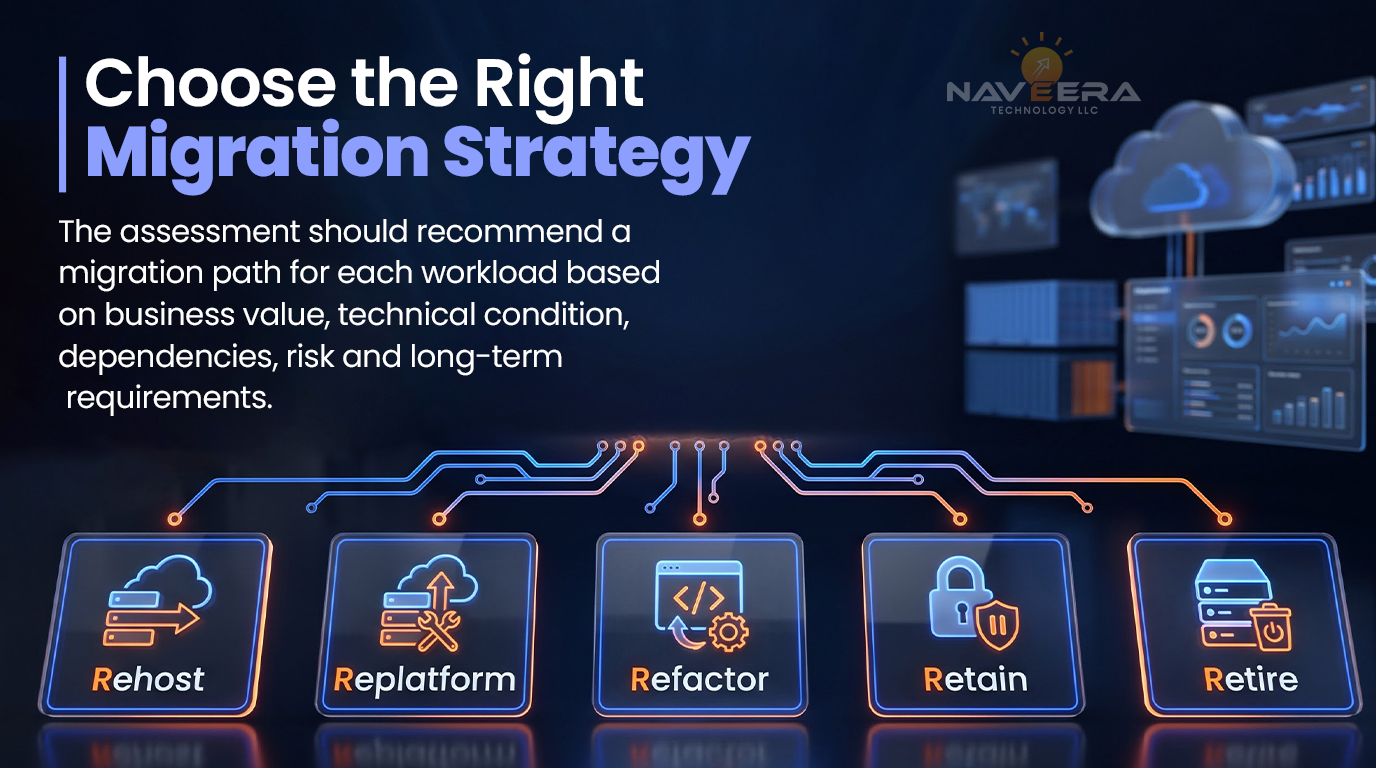
The assessment should recommend a migration path for each workload based on business value, technical condition, dependencies, risk and long-term requirements.
Rehost, Replatform, Refactor, Retain or Retire
- Rehost: Move the workload with limited changes.
- Replatform: Make targeted improvements without redesigning the application.
- Refactor: Modify or rebuild the application for cloud-native capabilities.
- Retain: Keep the workload in its current environment for now.
- Retire: Decommission an application that is no longer required.
Some frameworks also include relocate and repurchase. The terminology is less important than documenting why a path was selected and what risks, costs and dependencies it introduces.
Prioritize Workloads Into Migration Waves
The first wave should contain workloads that can validate the migration approach without creating unacceptable business risk. Later waves can address more complex or critical systems after teams confirm the landing zone, security controls and operating processes.
Each wave should specify:
- Included workloads and dependencies
- Entry and exit criteria
- Responsible owners
- Testing requirements
- Cutover procedure
- Rollback conditions
- Business and technical success measures
Which Cloud Migration Assessment Tool Should You Use?
The appropriate cloud migration assessment tool depends on the target platform, current environment, available data and assessment objectives.
AWS Migration Evaluator helps organizations establish an infrastructure baseline and develop a directional business case for AWS. Azure Migrate provides discovery and assessment capabilities for workloads being considered for Azure. Google Cloud Migration Center supports infrastructure discovery, cost estimation, fit assessment and migration planning.
Platform-native tools are most useful when the likely target cloud is already known. Organizations comparing multiple platforms may require a vendor-neutral cloud readiness assessment before running platform-specific analyses.
What Automated Assessment Tools Can and Cannot Determine
Automated tools can identify infrastructure configurations, utilization, operating systems, databases and some network relationships. They can also support rightsizing and directional cost estimates.
However, they cannot independently determine:
- The strategic importance of an application
- Whether a business process should be redesigned
- Every undocumented dependency
- Contractual or regulatory obligations
- Stakeholder tolerance for downtime
- Whether a system should be retained or retired
- The organization’s ability to operate the target environment
Tool findings should therefore be validated by application owners, architects, security specialists, finance stakeholders and operations teams.
Enterprise Cloud Migration Readiness Checklist
Use this cloud migration checklist to classify each workload as ready, conditionally ready or not ready.
| Readiness area | Key question |
| Business | Is there a measurable reason to migrate? |
| Application | Is the workload compatible and supported? |
| Dependency | Are upstream and downstream connections mapped? |
| Data | Is information classified, governed and transferable? |
| Security | Are access, encryption and logging requirements defined? |
| Resilience | Are availability, backup, RTO and RPO documented? |
| Financial | Are migration and operating costs estimated? |
| Operational | Can the organization monitor and support the workload? |
| Organizational | Are skills, owners and decision rights established? |
Every conditional or not-ready result should create a remediation action, accountable owner and target date.
When Should You Use a Cloud Migration Partner?
External support may be valuable when an enterprise has a large application portfolio, limited internal cloud expertise, significant modernization needs or strict security and continuity requirements.
A partner should help the organization produce defensible workload decisions—not simply encourage everything to move. Evaluate providers based on discovery methodology, architecture capability, security governance, migration experience, documentation, knowledge transfer and post-migration support.
How Naveera Supports Cloud Migration Readiness
Naveera Technology helps enterprises evaluate infrastructure, applications, data, dependencies, security and operating capabilities before migration begins.
Through its IT infrastructure services, Naveera can support workload discovery, readiness analysis, cloud architecture planning, migration sequencing, security validation and post-migration optimization.
The objective is to create an actionable migration decision: what should move, which path each workload requires, what risks must be resolved and how migration can proceed with controlled business disruption.
Final Takeaway: Assess Before You Migrate
A thorough cloud migration assessment gives business and technology leaders the evidence required to prioritize workloads, manage risk and select the appropriate migration approach.
The process should conclude with validated inventories, dependency maps, readiness classifications, cost expectations, security requirements and a phased roadmap. When those foundations are in place, cloud migration becomes a measurable transformation program rather than an open-ended infrastructure initiative.
FAQ
What is a cloud migration assessment?
A cloud migration assessment evaluates applications, infrastructure, data, dependencies, security, costs and operational capabilities to determine which workloads are ready to move and what preparation is required.
What should a cloud migration assessment include?
It should include workload discovery, dependency mapping, security and compliance analysis, cost estimates, migration-path recommendations, readiness gaps, remediation actions and a phased roadmap.
How long does a cloud migration readiness assessment take?
A cloud migration readiness assessment may take several weeks for a focused environment and longer for a complex application portfolio. Duration depends on workload volume, documentation, dependencies and stakeholder availability.
Which cloud migration assessment tool should an enterprise use?
The appropriate cloud migration assessment tool depends on the target platform and assessment objective. AWS Migration Evaluator, Azure Migrate and Google Cloud Migration Center provide platform-specific discovery and planning capabilities.
What is the difference between cloud discovery and assessment?
Cloud discovery identifies workloads, configurations and connections. Assessment interprets that information to determine business value, readiness, risk, cost and the appropriate migration path.
How do you decide which applications should migrate first?
Prioritize applications with clear business value, manageable dependencies, acceptable risk and representative technical requirements. Avoid beginning with either trivial workloads or highly critical systems.
How is cloud migration cost estimated?
Cost estimates combine migration labor, cloud consumption, licenses, data transfer, security, support and continuing operations. A reliable estimate requires validated utilization and performance data.
When should an enterprise hire a cloud migration partner?
A partner can help when the organization needs independent assessment, specialist cloud skills, application modernization, stronger governance or support coordinating a complex enterprise cloud migration.